How to Build Your Own AI Agent
September 16, 2025
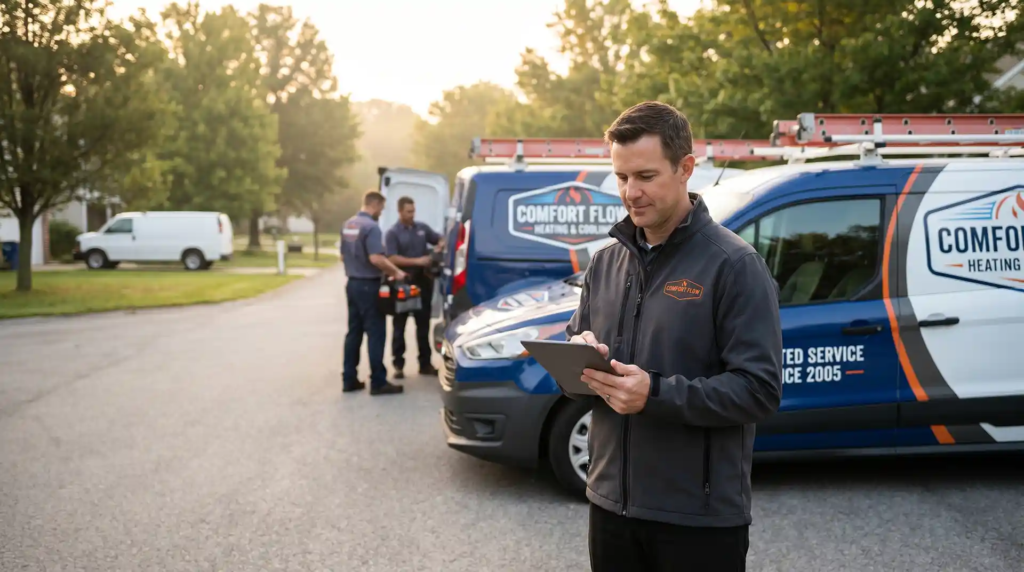
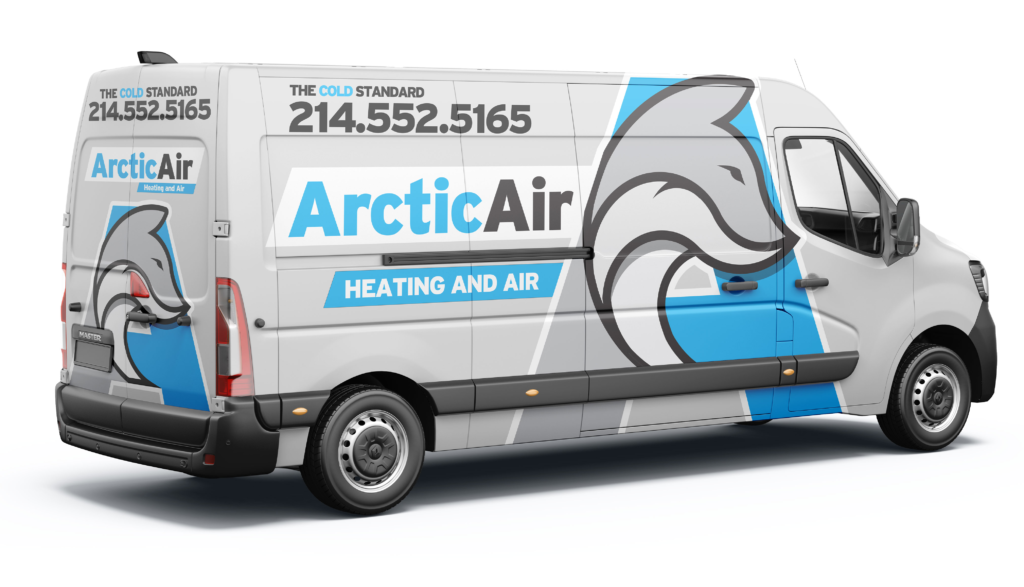
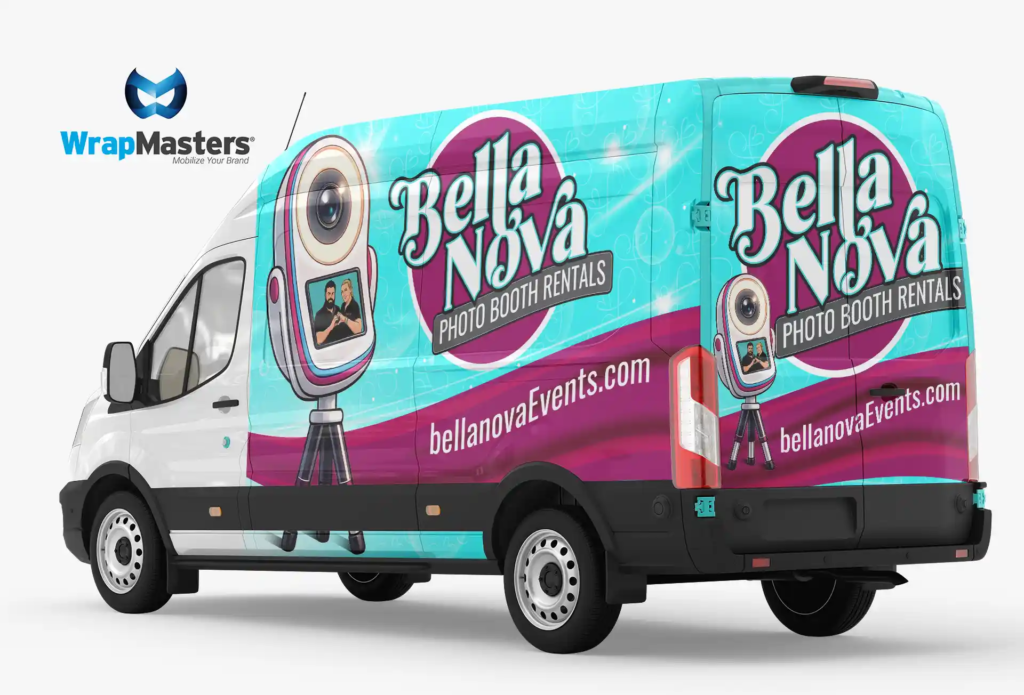
Local Commercial and Fleet Wrap Providers
December 22, 2025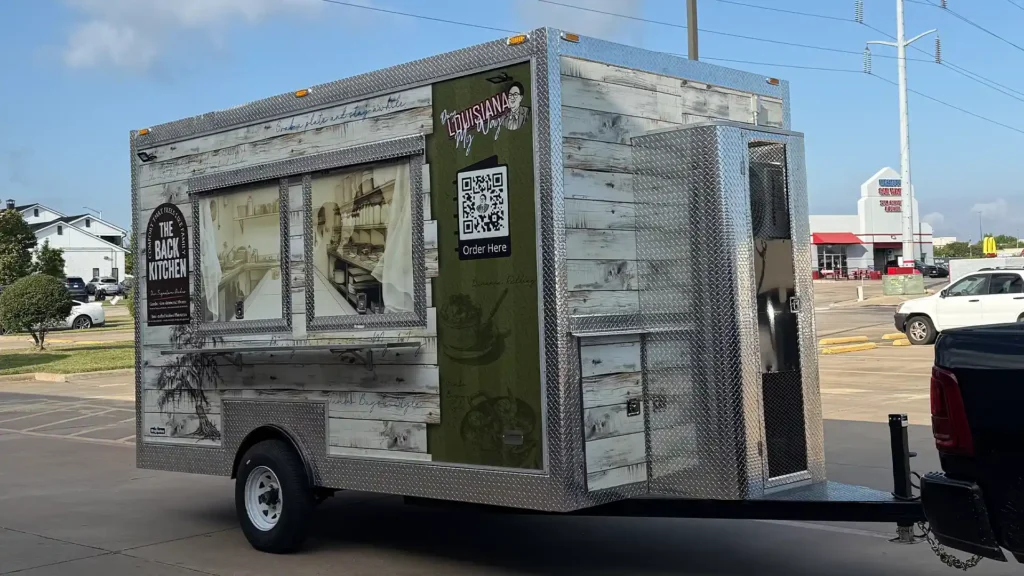
Why Food Trailer Builders Should Partner with a Branding Expert to Attract Better Clients
Building Trailers Is Only Half the Job
Building a food trailer is one thing. Helping a client launch a profitable food business is another.
Today’s buyers want more than a trailer that functions well. They want a complete business-on-wheels that looks professional and attracts attention from day one.
Why Partnerships Matter for Builders
Most builders finish a trailer and hand over the keys, leaving the customer to figure out design, logos, and wraps on their own. That gap is a missed opportunity for both sides.
Modern buyers search phrases like:
-
“custom food trailer design”
-
“food truck wrap near me”
-
“ready-to-launch food trailer”
Builders who integrate branding support into their offer win those searches and close faster because they are offering a total solution instead of a partial one.
Clients view them as trusted advisors, not just suppliers.
Proof from Real Clients
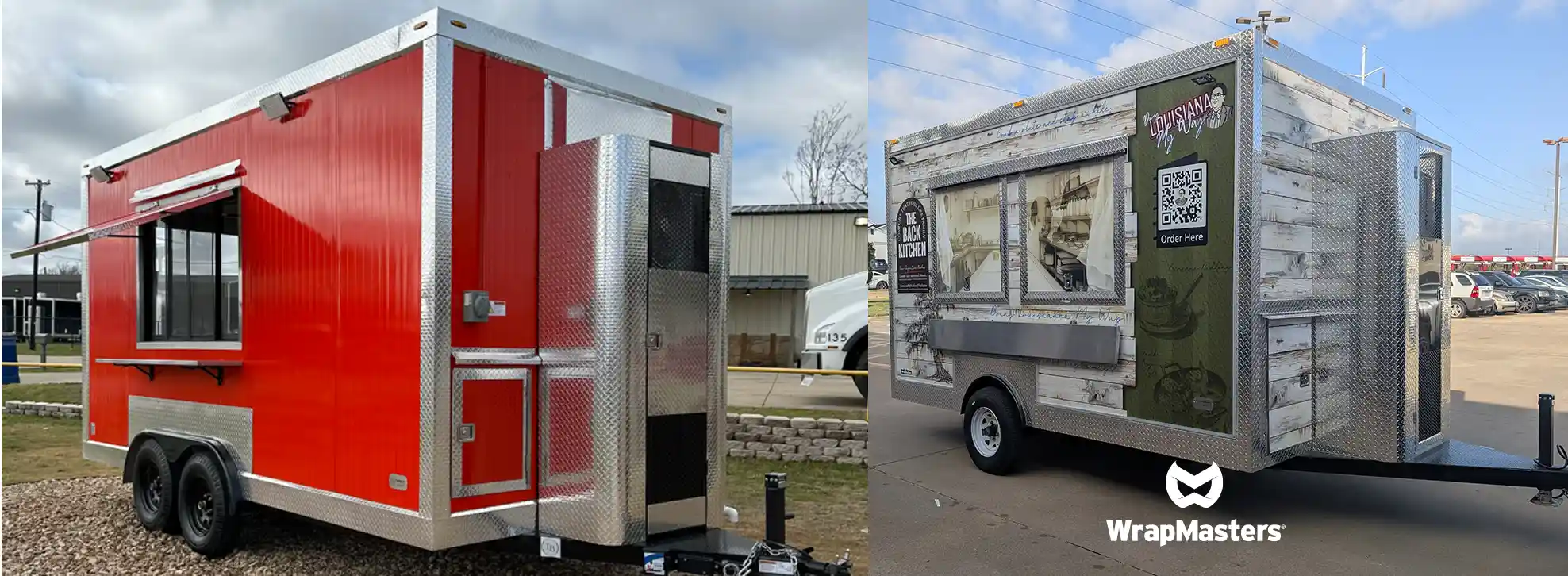
“Chris from Wrap Masters did an amazing job wrapping my food truck. He was on time, organized, and kept everything clean. You can tell he truly cares about the job and pays attention to every detail... he offers excellent after-service; he told me if anything ever peels off, just let him know and he’ll fix it.”
This type of review shows how a reliable branding partner builds trust for everyone involved.
When builders work with professionals known for precision and integrity, that same credibility reflects on the builder’s name. Clients talk about the experience, not just the trailer.
The Partnership Advantage
1. Attract Premium Buyers
Buyers prefer one-stop solutions. Offering a “build and brand” package positions a builder as a full-service partner who helps clients start faster and look more professional.
Builders offering complete packages often close deals at higher prices because clients see more value.
2. Add a Recurring Revenue Stream
Partnership programs allow builders to earn referral income or co-branded service commissions on every wrap project, without hiring extra labor.
The builder focuses on the construction, and the branding partner handles design and installation.
3. Close Faster and Reduce Friction
When the final proposal includes design, wrap, and delivery, clients stop comparing vendors and start scheduling launches.
A single, clear package removes uncertainty and speeds up the sale.
Before and After Partnership
| Before Partnership | After Partnership |
|---|---|
| Selling trailers as single projects | Selling full launch-ready businesses |
| Competing on price | Competing on value and outcomes |
| Client searches for a separate wrap vendor | Client leaves with a finished, branded trailer |
| Revenue ends at handoff | Additional income through partnership referrals |
This transformation shifts a builder’s role from fabricator to business-launch partner, creating stronger margins and long-term client relationships.
The Experience That Builds Loyalty
“Chris explained the process clearly, kept me updated, and made sure I was happy before wrapping up. It’s rare to find someone who combines skill, reliability, and pride in their craft the way Chris does.”
That kind of client experience reduces after-sale issues and improves online reviews.
A dependable branding partner helps ensure the client’s final product looks and performs as promised, which keeps the builder’s reputation strong.
How the Partnership Works
Step 1: Connect
The builder receives co-branded materials that make it easy to present wrap options to clients.
Step 2: Collaborate
Each client receives a custom design preview to visualize the final result before production.
Step 3: Profit
The builder earns a margin share or referral fee for every wrap, while maintaining focus on construction.
Builders in similar partnerships have reported as much as $8,000 in added profit per five builds, all without additional staff or complexity.
SEO Benefits and Market Visibility
Partnering with a trusted branding company can also improve a builder’s online visibility.
This content helps builders rank for searches such as:
food trailer builder partnership, food truck wrap, mobile kitchen branding, ready-to-launch food trailer, custom food truck design.
These search terms attract both buyers and collaborators, expanding business opportunities beyond local referrals.
From Cost to Growth Strategy
Branding should never be viewed as a cost. It is an investment that drives visibility and repeat business.
Every wrapped trailer becomes a moving advertisement that promotes both the client’s food business and the builder’s craftsmanship.
That visibility compounds with every build that hits the road.
Join the Builder Partnership Network
Builders who want to attract higher-value clients, sell faster, and add new income streams can apply to join the WrapMasters Partner Network.
Benefits include:
-
Co-branded sales materials that simplify client presentations
-
Revenue-sharing or referral opportunities
-
Priority wrap scheduling for partner builders
-
A consistent, professional finish that strengthens customer satisfaction
Turn every completed trailer into a launch-ready business that represents quality, reliability, and success.
Start the conversation today and explore what a strategic branding partnership can do for your builds.
Step 1: Choose Your AI Agent Platform
Most contractors get overwhelmed by the sheer number of AI tools on the market. The truth? You don’t need 15 apps. You just need one reliable hub that becomes the “brain” of your AI Agent.
For this guide, we’ll use ChatGPT as the example platform. Why?
- It’s flexible enough to handle branding, marketing, and customer service tasks.
- It integrates with other tools (Google, email, CRM, social platforms).
- It allows you to upload your own content (logos, service lists, messaging), so the AI speaks in your voice.
What to Look for in an AI Hub
When choosing your AI Agent’s core platform, make sure it can:
- Centralize Your Data
Your hub should hold your branding assets, service information, and customer touchpoints in one place. No more scattered files across different apps. - Integrate with Your Existing Tools
The right hub should “talk” to the systems you already use. For contractors, that often means:
- Google Business Profile (for reviews & local search)
- CRM (for managing leads)
- Social media platforms (for visibility posts)
- Email or SMS tools (for follow-ups)
- Google Business Profile (for reviews & local search)
- Customize for Your Brand
AI without customization is just a chatbot. Your hub should let you train it on:
- Your brand’s tone (professional, approachable, etc.)
- Your services and pricing
- Your past reviews and case studies
- Your brand’s tone (professional, approachable, etc.)
- Scale With You
As you grow, your hub should expand to handle new services, markets, or branding campaigns.
How ChatGPT Fits the Role
Think of ChatGPT as your AI command center:
- It can be trained with your brand’s voice and services.
- It can generate marketing content, review requests, and follow-up messages.
- It integrates with scheduling and CRM tools to keep workflows running automatically.
(Pro Tip: Don’t just use the free version. The paid version unlocks better integrations, memory features, and custom instructions that turn ChatGPT into a true “agent,” not just a chatbot.)
Practical Example: Contractor Setup
Imagine you’re a plumbing contractor:
- You load your services (emergency repairs, installs, maintenance).
- You upload your logo, business description, and customer reviews.
- ChatGPT generates:
- A weekly Google Business Profile update.
- A review request text after each job.
- A 3-post social media batch with consistent branding.
- A weekly Google Business Profile update.
Suddenly, your AI hub is doing the work that normally takes hours, without extra payroll.
⚡ Key Takeaway:
Your AI Agent starts with the right hub. ChatGPT isn’t just “another tool”, it’s the foundation that powers every step that follows.
Step 2: Upload Core Branding Assets into ChatGPT
An AI Agent is only as smart as what you feed it. If you skip this step, your agent will sound generic and off-brand. Done right, your AI becomes a digital extension of your business.
Think of it like training a new employee, you wouldn’t just say “figure it out.” You’d give them your logo, service list, pricing, and examples of how you talk to customers. Same with your AI.
Bonus Tool: Brandi — The Brand Generator
Not sure how to format your brand voice or messaging assets? Meet Brandi, your AI-powered brand assistant.
👉 Brandi helps you:
- Write your brand voice guide in plain English.
- Organize your services and pricing into a clean, AI-ready document.
- Turn your reviews into “power phrases” you can reuse in marketing.
Try Brandi now:
Brandi—The Brand Generator
Pro Tip: Upload your reviews and service list into Brandi first. She’ll create a polished “Brand Pack” you can then feed into ChatGPT as your AI Agent’s foundation.
What to Upload
At minimum, your AI should have access to:
- Logo & Visual Identity Guidelines
- File: logo.png, brand_colors.pdf
- Use: Ensures all content is on-brand visually.
- Instruction Example:
“Use the attached logo and brand colors for all graphics or social media mockups. Never alter colors or proportions.”
- File: logo.png, brand_colors.pdf
- Service List & Pricing
- File: services_pricing.pdf
- Use: Teaches AI your offerings so it doesn’t make things up.
- Instruction Example:
“Use this document as the authoritative list of services and pricing. Do not invent new services. Always match pricing exactly.”
- File: services_pricing.pdf
- Brand Voice Guide
- File: brand_voice.docx
- Use: Ensures AI speaks like your business.
- Instruction Example:
“Adopt this voice in all communication: approachable, professional, clear. Avoid jargon. Speak as if explaining to a homeowner.”
- File: brand_voice.docx
- Customer Reviews & Case Studies
- File: customer_reviews.csv
- Use: Proof-based language. Helps AI mirror how real customers describe you.
- Instruction Example:
“When writing testimonials, posts, or marketing copy, use examples and language from these reviews to build trust.”
- File: customer_reviews.csv
- Past Marketing Assets (optional but powerful)
- File: ads_2024.docx, social_posts.pdf
- Use: Shows AI what worked before.
- Instruction Example:
“Model new ad copy after the style and tone of these past campaigns. Improve clarity and specificity, but remain consistent.”
- File: ads_2024.docx, social_posts.pdf
How to Format Instructions for ChatGPT
When uploading assets, include clear role-based instructions.
Here’s a practical framework contractors can copy-paste:
System Instruction for AI Agent:
- Always use the “services_pricing.pdf” as the master reference for what we offer and how much it costs. Never invent services.
- For tone and messaging, follow the “brand_voice.docx” file. Keep language professional yet approachable.
- Use real-world phrasing from “customer_reviews.csv” to build authenticity in ads, posts, and emails.
- For visuals, refer to “logo.png” and “brand_colors.pdf.” Do not alter brand colors or distort logos.
- When creating content, prioritize clarity and outcomes for homeowners (not technical jargon).
- If uncertain, respond: “I need more input to stay on brand.”
Practical Example: Electrician Upload
- Uploads services_pricing.pdf (breaker box installs, rewiring, emergency calls).
- Uploads brand_voice.docx (friendly but authoritative).
- Uploads customer_reviews.csv (phrases like “fast response,” “fair pricing,” “trustworthy”).
Now, when the electrician’s AI creates a Facebook ad, it produces:
👉 “Need fast, reliable service? Our team is trusted by 127 homeowners in your area for quick, affordable electrical repairs. Book today.”
Notice — the AI isn’t guessing. It’s pulling directly from the assets + instructions.
⚡ Key Takeaway:
If you don’t tell your AI who you are, what you sell, and how you sound — it will fill in the blanks (badly). By formatting your assets and giving precise instructions, you lock your AI Agent into your brand’s identity.
Step 3: Program Lead-Gen Sequences
Now that your AI Agent knows your brand, services, and tone, it’s time to put it to work. The goal here is simple: turn visibility into booked jobs.
Most contractors lose leads because they don’t follow up consistently, or they fail to stay visible week after week. Your AI Agent can fix that by running lead-generation sequences in the background.
Core Sequences Every Contractor Needs
- Review Requests
- After each job, your AI Agent sends a short, friendly text or email:
“Thanks for trusting us with your AC repair. If you had a good experience, would you mind leaving us a review? Here’s the link: [Google Profile URL].” - Reviews boost trust and local search rankings.
- After each job, your AI Agent sends a short, friendly text or email:
- Local SEO Posts
- Weekly updates to your Google Business Profile, written in your brand’s voice.
- Example: “Did you know fall is the best time to schedule a furnace tune-up? Call us today for a quick inspection.”
- These posts keep your business ranking higher without paying for ads.
- Weekly updates to your Google Business Profile, written in your brand’s voice.
- Follow-Up Sequences
- AI sends 2–3 follow-up messages to leads who didn’t book.
- Example: “Hi John, just checking in, are you ready to schedule that water heater replacement? We’ve got openings this week.”
- AI sends 2–3 follow-up messages to leads who didn’t book.
- Seasonal Campaigns
- Pre-loaded messages that trigger at key times of the year.
- Example: Roof inspections in spring, AC tune-ups in summer, heating checks in fall.
- Pre-loaded messages that trigger at key times of the year.
- Social Media Consistency
- AI generates 3–5 posts per week using your brand voice.
- Example: “Electricity bill too high? Here are 3 quick fixes you can try today.”
- AI generates 3–5 posts per week using your brand voice.
Bonus Tool: BrandSynergy Mini 01 GPT
Want a shortcut to building these sequences? Use BrandSynergy Mini 01, a specialized AI agent that creates done-for-you lead-generation campaigns.
👉 Mini 01 helps you:
- Write review request templates.
- Generate local SEO posts optimized for Google.
- Map out email/SMS follow-up sequences.
- Build seasonal campaigns for HVAC, plumbing, electrical, and more.
Try it here:
BrandSynergy Mini 01
Pro Tip: Feed Mini 01 your brand assets (from Step 2), and it will customize the entire campaign to your services and tone. Then paste those campaigns directly into ChatGPT or your CRM for automation.
Practical Example: HVAC Contractor Sequence
- Job Complete → Review Request: “Thanks for trusting us with your furnace repair. If we did a good job, would you leave us a review? Here’s the link.”
- Week 1 → SEO Post: “Winter is coming, make sure your furnace is running efficiently. Schedule your checkup today.”
- Week 2 → Follow-Up Email: “We noticed you asked about duct cleaning but haven’t booked yet. We’ve got spots this week, want me to save one?”
- Week 3 → Social Post: “3 signs your furnace is costing you more than it should.”
This sequence runs without manual effort, keeping your name top-of-mind while nudging prospects toward a call.
⚡ Key Takeaway:
A brand-trained AI Agent isn’t just a “content machine.” It’s a lead machine, working behind the scenes to get you reviews, keep you visible, and turn cold prospects into booked jobs.
Step 4: Automate Consistency
You’ve built your brand foundation (Step 2) and programmed your lead-gen campaigns (Step 3). Now comes the most important piece: automation.
Without automation, even the best campaigns die out. Contractors get busy, work piles up, and follow-ups stop. That’s why your AI Agent must be connected to the tools you already use, so it runs on autopilot.
Why Automation Matters
-
- 80% of leads are lost because businesses don’t follow up in time.
- Local SEO rankings drop if you stop posting consistently.
- Social media reach shrinks when you skip weeks.
- 80% of leads are lost because businesses don’t follow up in time.
Automation fixes this by making sure your AI Agent keeps things running even when you’re too busy to touch it.
Step-by-Step: How to Automate Your AI Agent (ChatGPT Example)
- Pick Your Workflow Tool
You’ll need a “bridge” that connects ChatGPT to your other platforms. The most common ones are:
-
- Zapier (easiest, no coding)
- Make (Integromat) (more advanced, cheaper long-term)
- Zapier (easiest, no coding)
These tools let you say: “When X happens, do Y.”
- Automate Review Requests
-
- Trigger: Job completed in your CRM or scheduling tool.
- Workflow: Send customer details to ChatGPT → generate a review request → deliver via text/email.
- Example: “Job closed in Jobber → ChatGPT writes text → Text sent automatically via Twilio.”
- Trigger: Job completed in your CRM or scheduling tool.
- Automate Local SEO Posts
-
- Trigger: Weekly timer (every Monday at 9am).
- Workflow: ChatGPT pulls from your service list → writes a 150-word Google Business Profile post → posts automatically.
- Example: “Every week → ChatGPT writes new HVAC tip → Auto-posts to Google Business Profile via Zapier.”
- Trigger: Weekly timer (every Monday at 9am).
- Automate Follow-Up Sequences
-
- Trigger: New lead enters CRM but not booked after 3 days.
- Workflow: ChatGPT generates a polite follow-up email/text → CRM sends it automatically.
- Example: “Lead enters HubSpot → After 3 days → ChatGPT writes a follow-up email → CRM sends it.”
- Trigger: New lead enters CRM but not booked after 3 days.
- Automate Social Media Posts
-
- Trigger: Weekly schedule.
- Workflow: ChatGPT creates 3 posts → sends them to Buffer/Hootsuite → auto-posts to Facebook & Instagram.
- Example: “Every Monday → 3 posts generated → Sent to Buffer → Posts go live Tues/Wed/Thurs.”
- Trigger: Weekly schedule.
Pro Tip: Always Build in Review Checkpoints
Automation doesn’t mean you never check. We recommend:
- Weekly Review: Skim posts to make sure tone and offers are right.
- Monthly Adjustments: Update campaigns for seasonality (spring → roof inspections, summer → AC tune-ups).
Why Most Contractors Choose Done-for-You at This Step
Here’s the truth: even though automation saves time, setting it up is the hardest part. It takes:
- Linking 3–5 different tools (ChatGPT, Zapier, CRM, Google, social).
- Writing instructions so the AI knows exactly what to do.
- Testing every connection so nothing breaks.
That’s why many contractors stop here, or they hire us to handle the setup.
Your Options (Tiered Upsell Framing)
- DIY Free:
Follow the steps in this guide. If you’re tech-savvy, you can connect ChatGPT to Zapier and your CRM. - One-Time Setup (Done-for-You):
We build the automation for you—review requests, SEO posts, social campaigns, all connected and ready to run. One flat fee. - Ongoing Subscription (Recommended):
Like Adobe updates Photoshop, we keep your AI Agent optimized:
-
- Update campaigns monthly
- Add new templates
- Adjust for Google/social algorithm changes
- Provide priority support
- Update campaigns monthly
⚡ Key Takeaway:
Consistency is what separates the businesses that grow from the ones that stall. Your AI Agent doesn’t just save you time, it protects your visibility by keeping every lead-gen sequence running automatically.
Step 5: Optimize & Update
Your AI Agent is running campaigns, posting updates, and sending follow-ups. Great. But here’s the reality:
- Google changes its local search rules.
- Social media algorithms shift.
- Homeowner expectations evolve.
If your AI Agent never gets updated, it becomes stale—and stale marketing means lost leads.
That’s why optimization is key. Just like you’d service a furnace or update your tools, your AI Agent needs regular tuning.
Three Ways to Keep Your AI Agent Sharp
- Update Campaign Prompts Regularly
-
- Refresh your review request language every few months.
- Add seasonal offers to SEO posts.
- Rotate social media hooks to avoid sounding repetitive.
- Refresh your review request language every few months.
- Add New Templates to Your Agent
Think of templates as “shortcuts” your AI can use instantly. Examples:
-
- “Spring Maintenance Checklist” post for HVAC.
- “Top 3 Emergency Plumbing Fixes” article.
- “Why Regular Roof Inspections Save $$$” social caption.
- “Spring Maintenance Checklist” post for HVAC.
Every new template makes your AI smarter and faster.
- Refine Based on Data
-
- If a follow-up sequence gets low response, rewrite it.
- If a certain SEO post type ranks better, double down.
- If reviews drop off, test a new review request message.
- If a follow-up sequence gets low response, rewrite it.
Optimization isn’t guesswork, it’s data-driven fine-tuning.
Bonus Tool: BrandSynergy Prompt Generator
Want an easy way to keep your AI Agent optimized? Use the BrandSynergy Prompt Generator, a GPT built to create strategic, conversion-optimized prompts that upgrade your campaigns.
👉 The Prompt Generator helps you:
- Write sharper, high-converting review requests.
- Generate fresh SEO post prompts every month.
- Create authority-building social captions.
- Turn case studies into persuasive marketing copy.
Try it here:
BrandSynergy Prompt Generator
Pro Tip: Feed the Prompt Generator your campaign results (what worked, what didn’t). It will suggest optimized prompts to keep your AI ahead of the curve.
Practical Example: Electrician Optimization
- Month 1: AI sends follow-up email — response rate = 5%.
- Month 2: Prompt Generator rewrites email: “Hey [First Name], just checking if you’re ready to schedule your panel upgrade. We’ve got 2 openings this week.”
- New response rate = 18%.
That’s a 3x improvement—just from better prompts.
Why Optimization = Subscription Value
Here’s the kicker: algorithms, customer behavior, and competition change too fast for a one-time setup. That’s why most contractors stick with our subscription package:
- Monthly template drops
- Quarterly campaign refreshes
- Prompt optimization for better results
- Hands-free updates as Google & social platforms evolve
It’s like having a mechanic for your AI Agent, keeping it tuned up, so it keeps bringing in jobs.
⚡ Key Takeaway:
An AI Agent that isn’t optimized becomes yesterday’s tool. Keep it updated, and it’s a 24/7 growth engine for your business.
Get a Free Checkup on How Your Business Shows Up Online
We'll review your online presence and provide straightforward tips to help more customers find and trust your business.